
 The
The 
|
Advanced Naming TherapySupplier: http://tactustherapy.com/app/advanced-naming/ |
4 sets of sentence and conversation level exercises:
1. Using verbs to make sentences
250 concrete & abstract verbs. A verb is provided and the user must make 3 sentences by generating content or choosing from multiple choice options. They can write and/or speak & record their options. The user is then encouraged to expand on their sentence. 6 activties are generated from each verb, encoraging more autonomy with differing levels of cues.
2. Comparing similar items
206 concrete & abstract items are presented in either image or text form. The user is invited to verbalise how the items are alike and different. They can record their spoken attempts.
3. Category association naming
320 concrete and abstract categories are provided. The user must name from 3 to an unlimited number of associated items (e.g. things starting with /r/, appliances). This activity can be timed. There is also the possiblity to carry out a 1 minute semantic fluency test and a 1 minute phonemic fluency test to assess verbal fluency
4. Generating conversations
507 images are provided (e.g. funny food, unusual objects) to prompt description and/or conversation. Questions are provided to prompt the description or conversation.
Error handling: none. The user must decide themselves whether or not the got an item correct
Prompts/cues: In the verb sentences exercises, multiple choice items are provided. The user can also opt to hear their sentences spoken aloud. Keywords are also provided as hints. No cues are given on the other exercises
Record results: a score is given at the end of each exercise and results can be emailed. The user cannot look back at previous results within the app
Free trial: yes, free trial available through Advanced Language Therapy Lite app
Comments: On-screen, aphasia friendly instructions on how to use the app are provided. Comprehensive written instructions are also provided however these would not be accessible to someone with compromised reading skills
Supplier: Tactus
|
Easy to use independently: Yes Number of exercises: Very Large Version: UK English, American English Access: Touchscreen Record Results: No Evaluation: Developed with SLT, Free trial, Record own speaking attempts, Remote results access, Theory based |
|
Memory ExercisesSupplier: http://www.virtualspeechcenter.com/Apps |
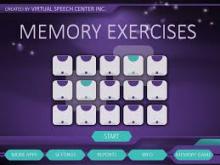
Exercises for working on short-term memory, working memory, attention and processing. There is an added function of adding in background noise
Exercises have 2-3 levels of difficulty with 240 exercises in total
· Recall of visual scenes: 2-6 questions about what the scene depicted. The user must provide a verbal response & decide whether or not it was correct
· Recall of visual objects: the user must provide a verbal response about the 5 objects seen or the items missing & decide whether or not their attempt was correct
· Visual/auditory recall of written/spoken words & sentences: read or listen to words/sentences and select from written selection or verbalise the items & decide whether or not it was correct
· Recall of personal information: verbalise answers to spoken questions or repeat lengthy sentences back & decide whether or not it was correct
· Recall of recent information: very lengthy auditory information is presented for the user to then verbally respond to questions relating to the information
If using independently, the user must monitor whether their spoken attempts were correct. There is no facility to record own spoken attempts. There are only a few exercises where the answers are selected from written options
Error handling: none
Prompts/cues: none
Record results: Results are recorded by exercise or by date within the app and can be emailed
Comments: The results recorded are reliant on the user self monitoring and knowing whether they named the item correctly or not. There is no facility for recording speech attempts and the app itself does not determine level of accuracy. This app would therefore not be appropriate for independent use by someone with poor self monitoring
|
Easy to use independently: Yes Number of exercises: Large Version: American English Access: Touchscreen Record Results: Yes Evaluation: Remote results access |

|
Main Street MemorySupplier: http://www.virtualspeechcenter.com/Apps |
3 high street scenarios are offered (sweet shop, pizza restaurant & a jewellery shop) where the user must order what they are told to via the auditory instruction
Up to 5 levels with increasing number of items & modifiers and also temporal directions. Includes an option to include background noise & adjust the volume of the environmental noise
Designed for children and very American voice . The reward activities can be turned off. However it may be useful for users wishing to work on listening tasks with added levels of distraction
Error handling: none
Prompts/cues: none
Record results: results can be accessed within the app by activity or by date
|
Easy to use independently: Yes Number of exercises: Small Version: American English Access: Touchscreen Record Results: Yes Evaluation: |
|
CommunicAideSupplier: https://communicaide-aac-speech-therapy-ios.soft112.com/ |
Adult appropriate, photo based AAC app. Easy to edit and add own vocabulary. Favourites & history links so the user can readily find a message they recently constructed.
Immediate access to Yes/No messages and to a body chart with a pain scale.
When an item is selected, it moves into the message window where it appears only as text. For someone with no reading this could be frustrating and difficult to use.
|
Easy to use independently: Yes Number of exercises: Version: UK English, American English, Australian English Access: Touchscreen Record Results: Evaluation: Developed with SLT, Free trial |

|
Verbal namingSupplier: http://www.parrotsoftware.com |
Type of exercises & brief description:
Photos of nouns are presented for confrontation, verbal naming. There are 20 items in each exercise set and a total of 10 exercise sets which must be purchased individually
Speech recognition software is used to assess whether the spoken attempt was correct
Prompts/cues:
If the first attempt isn’t recognised, an initial, written letter is provided. If the second attempt isn’t recognised, the word is spoken and written and the user moves to the next item automatically
Record results:
Results are shown at the end of the session. In order to receive results, the professional license must be purchased
Comments:
- It is difficult to identify what some of the photographs are of
- The items are always presented in the same order
- Not all regional accents or dysarthric speech are recognised.
|
Easy to use independently: Yes Number of exercises: Version: UK English, American English Access: Touchscreen Record Results: No Evaluation: Developed with SLT, Free trial, Prompts/cues given, Record own speaking attempts |
|
Active ReadingSupplier: http://www.clarityenglish.com |
6 levels of reading, listening and topic vocabulary exercises for those with moderate to mild reading difficulties who are keen to practise independently
Within each level, there are 10 everyday topics (e.g. making a journey, reading a paper, reading an email, how to lose weight), each with 6 different exercise sets
Web based program - exercises can be allocated remotely & results can be accessed by the SLT remotely
The clinician purchases a yearly license and patients have free access to the software on a computer or via an app on a tablet or phone device
The software is designed for learners of English as a foreign language but can be useful for people with aphasia
|
Easy to use independently: Fairly Number of exercises: Large Version: American English Access: Keyboard, Mouse, Touchscreen Record Results: Yes Evaluation: Remote exercise updates, Remote results access |

|
Advanced Comprehension TherapySupplier: https://tactustherapy.com/app/advanced-comprehension/ |
|
Name of app |
Advanced comprehension therapy |
|
Type of exercises & brief description
|
Written and auditory comprehension exercises, and sentence building exercises
730 items
3 modes: Identify (picture matching), Build (sentence building) & Follow (follow directions). Each set of exercises has 12-16 levels
10-730 items can be selected per exercise
A tutorial is provided to demonstrate how the app can be used
|
|
Error handling |
None |
|
Prompts/cues |
In practise exercises, semantic, first letter, written word & phonemic cues to choose from |
|
Record results |
Results are shown after the session with % of items named correctly with and without cues. It also highlights the cues used. Results can be emailed to a designated address.
|
|
Developer |
|
|
Supplier |
App store & Google Play store |
|
Comments/N.B |
· There is only one version for UK, US, Aus and there are a few American words (e.g. zipper, fries, cookies) · The results recorded are reliant on the user self monitoring and knowing whether they named the item correctly or not. There is no facility for recording speech attempts and the app itself does not determine level of accuracy. This app would therefore not be appropriate for independent use by someone with poor self monitoring FREE TRIAL available through Advanced Language Therapy Lite app
|
Supplier: Tactus
|
Easy to use independently: Yes Number of exercises: Large Version: American English Access: Touchscreen Record Results: Yes Evaluation: Assessment of need & exercises suggested, Free trial, Record own speaking attempts, Remote exercise updates, Remote results access, Theory based, Tutorials |
|
Say it: English PronunciationSupplier: https://apps.apple.com/gb/app/say-it-english-pronunciation/id919978521, https://elt.oup.com/catalogue/items/global/pronunciation/9780194270014?cc=gb&se… |
|
Name of app |
Say it: Pronunciation from Oxford
|
|
Type of exercises & brief description
|
|
|
Error handling |
None |
|
Prompts/cues |
None
|
|
Record results |
No but speech attempts can be emailed to your speech & language therapist |
|
Developer |
Oxford University Press & Phona limited |
|
Supplier |
App store |
|
Comments/N.B |
· This is an EFL app designed for foreigners to improve their pronunciation of English · Requires good spelling to find the words (or a word list could be provided by a therapist for the user to copy) · Using the ‘Look up a word’ mode, the user could practise specific words they wish to practise
|
|
Easy to use independently: Fairly Number of exercises: Very Large Version: UK English Access: Touchscreen Record Results: No Evaluation: Free trial, Record own speaking attempts |

|
TouchChat HDSupplier: https://touchchatapp.com/apps/touchchat-hd-aac |
7 vocabulary sets are provided:
4 Basic: 4 cell basic vocabulary set
Communication Journey Aphasia: 12 cell vocabulary set with adult & aphasia orientated vocab
MyCore: 108 cell categorised word bank for those with some literacy & good cognition & semantics
Spelling: 40 cell QWERTY keyboard with word prediction & phrase bank
VocabPC: 12 cell vocab set with activity vocab, category based vocab, carrier phrases
Multichat:15 cell vocab set in 3 versions: adult, adolescent, student. Contains activity vocab, category based vocab, questions & keyboard with word prediction
My Quickchat: 4, 8 & 12 cell layouts designed for AAC users. Adult & child versions available for each layout
3 versions available: Lite, full & full version with WordPower. Lite version doesn't speak & personalised pictures cannot be added - it's for evaluation purposes & couldn't really be used as a communication support
Other features:
Can be personalised with user's vocab & phrases. Pre-progammed vocab is American (e.g. purse for handbag)
User's photos can be used in place of symbols
Can use recorded or synthesised speech. UK voices can be downloaded
Easy & intuitive to program
Word prediction on the keyboard is not the best available
|
Easy to use independently: Yes Number of exercises: Version: American English Access: Touchscreen Record Results: Evaluation: Can author/customise |

|
CuespeakSupplier: http://cuespeak.com |
Work on answering questions with help
Questions on current affairs, updated weekly
Work on asking questions and social phrases
Work on people’s names with video and spelling practice
Spelling with sounds
Letter spelling
Rhyme judgement
Reading tasks
Matching tasks
Sentence processing (e.g reversible sentence ordering)
Written & spoken sentence building
Semantic associations
Tasks for working on verbs in a sentence context
Conversation starters
Articulation: 5000+ videos of target words and phrases, including breakdown into individual syllables & phonemes
Features a communication props drawer with maps, drawing board, numbers, time
Multiple ways to create hierarchies (e.g. according to word length, sound, frequency, number of phonemes)
Video tutorials are provided to demonstrate how the app works & each exercise has its own tutorial to demonstrate how to complete the exercises
Can create multiple therapy sessions and can share sessions over internet
Error handling: Wrong answers are removed; the response is read aloud for the user to judge; contextual information is given
Prompts/cues: Closure cues; spoken word
Record results: Results are shown after the session with % of items completed correctly. Can request additional details about accuracy, speed and help requested. Results can also be emailed to the clinician.
Option to break up sentence level questions into chunks to support reading and listening
Comments:
- Can choose option for items to remain on the screen until the user moves onto the next exercise (i.e. no automatic scrolling onto the next item). This is useful when used in therapy to discuss the user’s response
- Advanced settings for SLT to designate exercise features for each exercise set
- Remote management/allocation of exercises and results
Free version, monthly subscription option, 1 & 3 year subscription options
|
Easy to use independently: Yes Number of exercises: Very Large Version: UK English Access: Touchscreen Record Results: Yes Evaluation: Developed with SLT, Free trial, Prompts/cues given, Record own speaking attempts, Remote exercise updates, Remote results access, Theory based, Tutorials |