
Very

Aphasia Duo

SLT Summary

2 vocabulary sets are provided as well as a whiteboard and maps.

My Life
These grids are intended to be personalised with information about a person, for example their hobbies, health, communication strengths and needs, and personal news. Vocabulary to communicate with a range of communication partners and for a range of different purposes, including single words, phrases and sentences. Also aims to support conversations about important topics such as mental health and finances. 

Visual Scenes
Photo based visual scenes to support communication and conversation around personal interests, activities or other important topics. Photos and text can be personalised.

Whiteboard
A place to draw or write.

Maps
Maps to support conversations.

Aphasia Design

This app has been designed specifically for people with aphasia. 

  • Simple and consistent navigation 
  • Consistent design – grids throughout are visually similar, making them predictable, to support learning and ease of use 


Important note:

To use Aphasia Duo you will need Grid software, for Windows or iPad. Requires Grid version 94 or above.


Aphasia Summary

An app with vocabulary specifically for people with aphasia. 

Includes communication supports, visual scenes, topics, Chat Help and Word Help.

Click on a symbol to speak out your message.

Add your own words and phrases.

Use the whiteboard to draw or write your message.
Platforms
Price
Type of Software
Easy to use independently
Site Icon
icon Summary

An AAC app with vocabulary specifically for people with aphasia. 

Includes communication supports, visual scenes, topics, Chat Help and Word Help.

Click on a symbol to speak out your message.

Add your own words and phrases.

Use the whiteboard to draw or write your message.
Prompts/cues given
Yes
Theory Based
No
Can author/customise
Yes
Free trial
Yes

Project QWERTY

SLT Summary

Free software designed for people living with aphasia.

Practice spelling/ typing

Access via mouse or touch screen

Range of categories: social media, text messaging, online shopping, frequently used words

Personalise with own word categories

Collate results across tasks

Choose level of support / difficulty

Aphasia Summary

Free software designed for people living with aphasia.

Practice spelling/ typing

Access via mouse or touch screen

Range of categories: social media, text messaging, online shopping, frequently used words

Personalise with own word categories

Collate results across tasks

Choose level of support / difficulty

Price
Type of Software
Easy to use independently
Number of exercises
Site Icon
icon Summary

Typing and spelling practice designed for people living with aphasia

Record Results
Prompts/cues given
Yes
Theory Based
Yes
Can author/customise
Yes
Free trial
Yes

Cue Name-Objects

SLT Summary

A straightforward phone/tablet based app which supports practice of single word picture naming.

Photographic picture prompts are provided one at a time for naming.  Users can also access cues for the initial written letter of the word, the full written letter and/ore the full spoken word.  

500 + stimuli items are provided.

Picture stimuli are presented in random order for naming.  Choice of items cannot be customised. Once app is restarted, the users restarts where they left off last time.

Target pictures are not categorised semantically but instead across three levels of complexity: simple, moderate and complex.  Target complexity is based on concreteness and imagability as determined through the developer's clinical experience. Target images have not been normed.

The app does not provide feedback regarding the accuracy of user's production.

App interface is intuitive and uncluttered.

N.B. The price of the android and iOS apps differ.

Available in English, Spanish, Chinese (Mandarin), Hindi, Portuguese (Brazilian), Filipino.

Aphasia Summary

A picture naming app.

Practice naming single words.

Price
Area Targeted
Easy to use independently
Number of exercises
Site Icon
icon Summary

A picture naming app to practice single word naming of objects.

Available in English, Spanish, Chinese (Mandarin), Hindi, Portuguese (Brazilian), Filipino.

Access
Record Results
Prompts/cues given
Yes
Theory Based
Yes
Can author/customise
No
Free trial
No

Pictello

SLT Summary

Attach voice recordings to photos (recorded speech or text to speech) so the photo speaks out a message

When you press on a photo, the voice recording speaks out so you can explain your photos and use them in conversation if your speech is affected. You can also make stories to tell people/children.

You can also make visual schedulers to remind you how to carry out tasks (e.g. baking a cake)

You can make as many albums/stories as you like

Aphasia Summary

Attach speech to your photos

When you press on a photo, it speaks out. You can explain your photos and use them in conversation if your speech is affected

You can use it to tell stories

You can also make visual schedulers to remind you how to carry out tasks (e.g. baking a cake)

Platforms
Price
Type of Software
Easy to use independently
Number of exercises
Site Icon
icon Summary

Attach speech to your photos

When you press on a photo, it speaks out. You can explain your photos and use them in conversation

You can  use it to tell stories

You can also make visual schedulers to remind you how to carry out tasks (e.g. baking a cake)

Access
Prompts/cues given
No
Theory Based
No
Can author/customise
Yes
Free trial
No

LanguageTherapy Lite

SLT Summary

Type of exercises & brief description             

  • A trial version of 4 apps: Comprehension Therapy, Naming Therapy, Reading Therapy and Writing Therapy
  • 5 items are available under each therapy category so you can trial the 4 apps before buying the full versions

Error handling: See individual app descriptions

Prompts/cues: See individual app descriptions

Record results: See individual app descriptions

Comments/N.B
Not a therapy tool in itself, a taster/demo

Aphasia Summary

Trial version of 4 apps

For more details, see the descriptions for: Comprehension Therapy, Naming Therapy, Reading Therapy and Writing Therapy

5 items are available under each therapy category so you can trial the 4 apps before buying the full versions

Platforms
Evaluation
Price
Level
Type of Software
Easy to use independently
Number of exercises
Site Icon
icon Summary

Trial version of 4 apps

For more details, see the descriptions for: Comprehension Therapy, Naming Therapy, Reading Therapy and Writing Therapy


Record Results
Prompts/cues given
No
Theory Based
No
Can author/customise
No
Free trial
Yes

ipracticeverbs

SLT Summary

Type of exercises & brief description             

  • Practice of written and spoken present tense, present progressive and past tense verbs at word and sentence level
  • Flashcard exercises
  • Multiple choice (4 choices) semantic exercises

Error handling: Removes incorrect responses


Prompts/cues: None


Comments/N.B

  • Developed for children but most of the items and photos are adult appropriate
Aphasia Summary

Practice of written and spoken verbs in different tenses

Words and sentences

Flashcard exercises

Multiple choice exercises

Developed for children but most of the items and photos are adult appropriate

Platforms
Language
Price
Area Targeted
Type of Software
Easy to use independently
Number of exercises
Site Icon
icon Summary

Practice of written and spoken verbs

Flashcard exercises

Multiple choice exercises

Access
Record Results
Prompts/cues given
No
Theory Based
No
Can author/customise
No
Free trial
No

Fotobabble

SLT Summary

Type of app & brief description       

  • Attach voice recordings to your photos.
  • When you press on a photo, the voice recording speaks out so you can explain your photos and use them in conversation if your speech is affected.

Comments/N.B

  • Free
Aphasia Summary

Attach voice recordings to your photos

When you touch a photo, it speaks out so you can explain your photos and use them in conversation if your speech is affected

Platforms
Price
Type of Software
Easy to use independently
Site Icon
icon Summary

Attach voice recordings to your photos

When you touch a photo, it speaks out so you can explain your photos and use them in conversation if your speech is affected

Record Results
Prompts/cues given
No
Theory Based
No
Can author/customise
No
Free trial
No

ORLA - Oral Reading for Language in Aphasia

SLT Summary

Type of exercises:

  • Reading/repeating sentences and paragraphs aloud

Developed with SLT: Yes

Theory based: Yes

Record own speaking attempts: No

Correction of own speaking attempts: No

Customisation/personalisation: No

Error handling: None

Prompts/cues given: No

Tutorials: No

Free trial: No

Support: phone or email (in USA)

Comments:

  • From 3 word sentences up to 100 word paragraphs
  • Listen to sentence, point at words heard spoken and then repeat sentences
  • Advised to practise for 30 minutes per day

N.B:
   Program doesn't load to the computer, it requires the CD to run
 

Aphasia Summary

Type of exercises:

  • Repeating aloud
  • Sentences
  • Paragraphs

Can use own words: No

Help given: No

Free trial: No

Support: phone or email in the USA

Platforms
Language
Type of Software
Easy to use independently
Number of exercises
Site Icon
icon Summary

Exercises for reading aloud

Record Results
Prompts/cues given
No
Theory Based
Yes
Can author/customise
No
Free trial
No

Step by Step V5

SLT Summary

Type of exercises:

  • Verbal and written naming of nouns, verbs, adjectives (e.g. people, weather, hobbies, nature, clothes+ customised/personalised vocab  (needs to be able to be pictorially represented))
  • Single word and sentence level spoken word finding
  • Word level semantics
  • Spoken repetition exercises
  • The My Words suite of exercises uses the words the user is practising in a range of different exercises in order to intensively work on the same words in different exerise formats (e.g. matching, repetition, naming, spelling)
  • Up to 10 levels of exercise, gradually increasing in complexity
  • Assessment items provided to gauge start level & vocabulary

Developed with SLT: Yes


Theory based: Yes. Lots of evidence to support this software, some of which is on the research evidence page of this site


Record own speaking attempts: Yes


Correction of own speaking attempts: No


Customisation/personalisation: Yes


Error handling: Yes. Spoken, written, phonemic & video cues given, options reduced & then correct answer provided to copy. Can’t make more than 2 consecutive errors.  Clinician can specifiy degree of accuracy required before the program automatically moves the person onto the next level of exercises or moves them to an easier level of exercise


Prompts/cues given: Yes. Written, spoken, video, phonemic


Tutorials: Yes. Comprehensive, step by step video tutorials provided for each section of the software for both users and clinicians


Free trial: Yes


Support: Free phone support & in-program video tutorials


Comments:

  • Sentence level: e.g. incorporating the word ‘tea’ into the sentence ‘I would like a cup of …’
  • Assessment stimuli can be used as a start guide and for re-assessment of progress
  • Gradual building of skills through graded exercises. User moves on to next level automatically once competent at the previous level (SLT can set the criteria for when to move them on). Equally, if they fail to achieve a certain % the SLT can set the facility to automatically provide an easier level of exercise
  • Can remotely update and download exercises & results (with the clinician version of the software)
  • There is the facility to write therapy notes within the program if the clinician is doing the exercise with the user
  • Personalised vocabulary and photos can be programmed and the clinician can provide the phonemic cue (phonetic keyboard provided) & a video of mouth shapes as well as sentence level examples of the word's use

N.B:

  British accent


Aphasia Summary

Type of exercises:

  • Saying words
  • Spelling words
  • Understanding words

Use your own words: Yes


Help given: Yes. Written, spoken and video help


Free trial: Yes


Support: Free


Comments:

  • When you have improved, it automatically moves you up to the next level
  • Your Speech and Language Therapist can give you more exercises and see your results over the internet

N.B:

  British accent


Language
Price
Area Targeted
Type of Software
Easy to use independently
Number of exercises
Site Icon
icon Summary

Exercises for working on saying and spelling words 

Record Results
Prompts/cues given
Yes
Theory Based
Yes
Can author/customise
Yes
Free trial
Yes

Synonyms, Homonyms & Antonyms Deluxe

SLT Summary

Type of exercises:

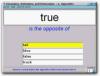
  • Multiple choice and gapfiller exercises for generating words that ‘sound like’ or are ‘the opposite to’ or are ‘the same as’

Developed with SLT: Yes

Theory based: Not a specific theory base, SLT experience

Record own speaking attempts: N/A

Correction of own speaking attempts: N/A

Customisation/personalisation: No

Error handling: Gives cues after each wrong answer.

Prompts/cues given: Yes. Says word aloud, gives number of letters in word, gives multiple choices

Tutorials: No

Free trial: Yes

Support: Free lifetime technical support via phone, email or online livechat

Comments:

  • Some Americanisms
  • Some items are very high level
  • Model voice is American

N.B:
   Need spelling skills
   Need whole word reading
 

Aphasia Summary

Type of exercises:

  • Multiple choice
  • Fill the gaps
  • words that ‘sound like’ or are ‘the opposite to’ or are ‘the same as’

Use your own words?: No

Help given: Yes

Free trial: Yes

Support: Free

Comments:

  • Some Americanisms
  • Some exercises are very hard
  • Voice is American

N.B:
    Need to be able to spell
    Need to be able to read
 

Platforms
Language
Type of Software
Easy to use independently
Number of exercises
Site Icon
icon Summary

Exercises for practising words that ‘sound like’ or are ‘the opposite to’ or are ‘the same as’

Access
Record Results
Prompts/cues given
Yes
Theory Based
No
Can author/customise
No
Free trial
No